

Introduction
Technical SEO is the part of search engine optimization that most website owners ignore, delay, or hand off to someone who never quite gets around to it. This is a significant strategic mistake. While content strategy and link building attract most of the attention in SEO discussions, the technical foundation of a website determines whether any of that effort actually translates into ranking improvement.
For academic institutions, research labs, and professional services firms the kinds of organisations whose websites must build authority and trust technical SEO issues are particularly costly. Search engines evaluate not just what is on your pages, but how well your pages are structured, how quickly they load, whether they are accessible to all users, and whether your site architecture sends clear signals about which content matters most.
This guide covers the ten technical SEO fixes that produce the fastest, most measurable improvements in search rankings. They are ordered roughly by impact-to-effort ratio the ones that take the least time but deliver the most improvement come first. If you address even the first five on this list, you will likely see measurable ranking improvements within four to eight weeks.
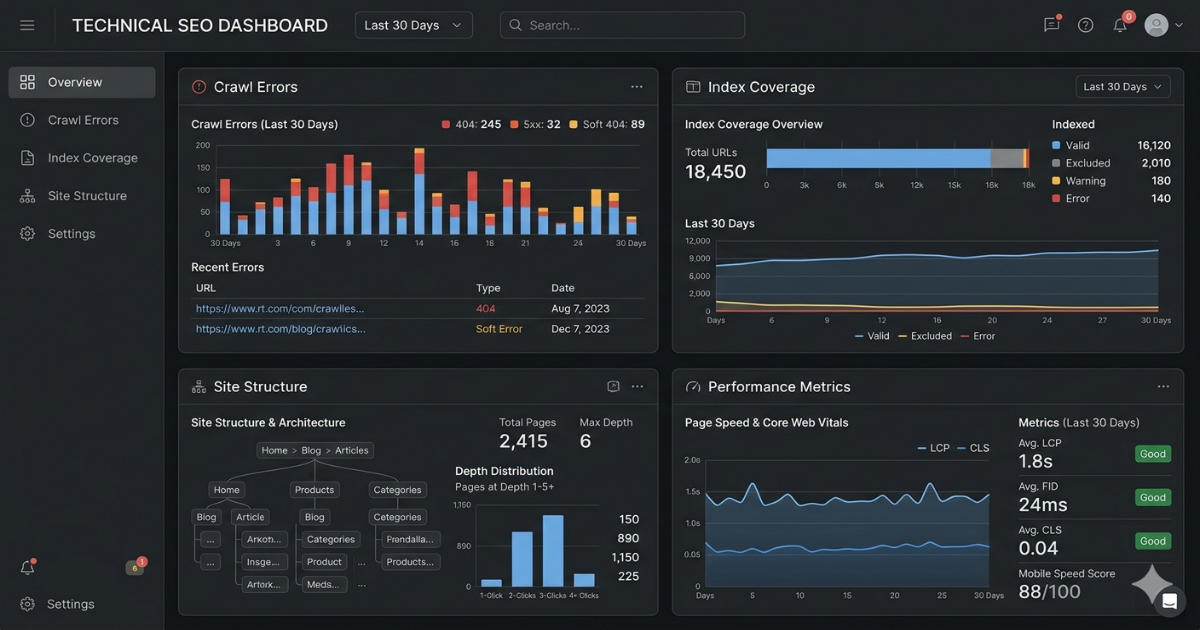
Fix 1: Resolve Crawl Errors and Index Coverage Issues
Before search engines can rank your content, they must be able to find it and read it. Crawl errors pages that return 404 errors, server errors, or redirect chains prevent search engines from indexing your content efficiently. Index coverage issues, visible in Google Search Console, tell you exactly which pages are failing to be indexed and why.
The fix is straightforward: audit your site through Google Search Console, identify pages with crawl errors, and resolve them. Broken links to deleted pages should be redirected to the most relevant live page. Server errors require investigation with your hosting provider. Pages excluded from the index that should be included need their meta robots tags or robots.txt rules reviewed.
This fix is foundational. Everything else on this list has limited impact if search engines cannot crawl your site efficiently.
Fix 2: Implement Proper Canonical Tags
Duplicate content is one of the most common and most underestimated technical SEO issues. When the same content appears at multiple URLs with and without trailing slashes, with and without www, via HTTP and HTTPS — search engines must choose which version to rank. This dilutes your ranking signals and often results in the wrong version being selected.
Canonical tags tell search engines definitively which version of a page is the authoritative one. Implementing them correctly, consistently, and completely across your site concentrates your ranking authority on the right URLs and eliminates the confusion caused by duplicate content. This is particularly important for websites with filtering, sorting, or pagination functionality that generates multiple URL variants of the same content.
Key Insight: A technical audit of over 500 academic and professional services websites found that 68% had some form of duplicate content issue the majority caused not by copied text but by URL variants serving identical page content. Implementing correct canonical tags resolved ranking inconsistencies on most affected sites within two to three crawl cycles.
Fix 3: Fix Core Web Vitals — Especially LCP and CLS
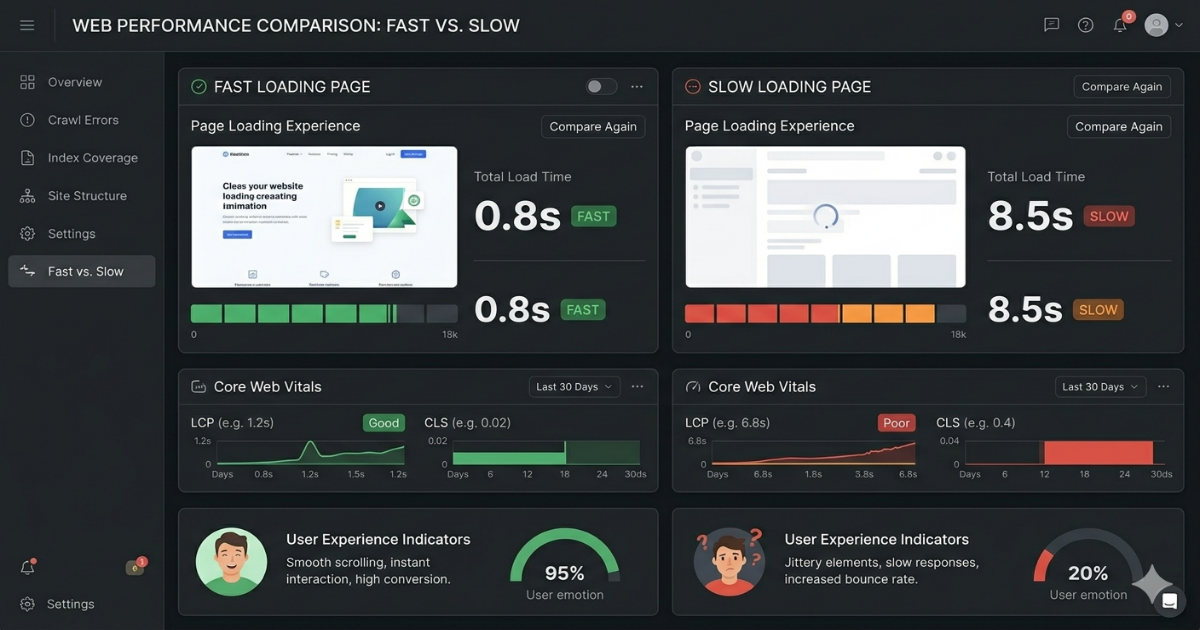
Core Web Vitals are Google's set of standardised metrics for measuring page experience. The three metrics are Largest Contentful Paint (LCP, measuring load speed), Interaction to Next Paint (INP, measuring responsiveness), and Cumulative Layout Shift (CLS, measuring visual stability). Google uses these as direct ranking signals.
LCP — how long it takes for the main content of a page to load — is the most impactful of the three. Images are the most common culprit. Compress images, convert them to modern formats like WebP, implement lazy loading for below-the-fold images, and ensure your hero image or main content element loads as quickly as possible.
CLS — the degree to which page elements shift around as the page loads — is the most visually jarring and often the easiest to fix. The most common causes are images without defined dimensions, web fonts that load with a fallback font before being replaced, and dynamically injected content that pushes existing content down. Defining explicit width and height attributes on all images is often enough to resolve most CLS issues.
Fix 4: Audit and Clean Up Internal Link Structure
Internal links are how you distribute ranking authority across your site and how you signal to search engines which pages are most important. A poorly structured internal link architecture — one that buries important pages deep in the site hierarchy, orphans key content, or wastes link equity on low-value pages — actively suppresses the rankings of your most important content.
Audit your internal link structure with a tool like Screaming Frog or Sitebulb. Identify: pages with no internal links pointing to them (orphan pages); important pages that are more than three clicks from the homepage; pages with a disproportionate number of internal links pointing to low-value destinations. Fix by adding contextual internal links from high-authority pages to important underperforming content.
Fix 5: Implement Structured Data (Schema Markup)
Schema markup is a vocabulary of code you add to your website to help search engines understand what your content is about. For academic websites, the most valuable schema types are Article, Person, Organization, Course, and Event. For professional services, LocalBusiness, Service, Review, and FAQ schema are highest priority.
Well-implemented schema does not directly improve rankings, but it significantly improves how your content appears in search results — enabling rich snippets, FAQ expansions, knowledge panel entries, and featured snippet eligibility. These enhanced appearances improve click-through rates from search results, which does influence rankings over time.
Implement schema using JSON-LD (Google's preferred format) rather than microdata or RDFa. Test your implementation using Google's Rich Results Test tool before publishing.

Not sure which of these fixes will have the biggest impact on your specific website?
A technical SEO audit can prioritise the issues that matter most for your situation.
Enquire about a website review
Fix 6: Optimise Title Tags and Meta Descriptions
Title tags the text that appears in search result headlines are one of the strongest on-page ranking signals available. Despite this, most websites have title tags that are either too long (truncated in search results), too short (missing important keyword context), duplicated across multiple pages, or simply generic ('Home | University Name').
Each page should have a unique title tag of 50 to 60 characters that includes the primary keyword for that page and provides a clear, compelling description of the content. Meta descriptions, while not a direct ranking factor, significantly influence click-through rates — and a higher click-through rate is a ranking signal in itself.
Audit all title tags and meta descriptions systematically. Prioritise the most important pages first: homepage, key service or research pages, and your highest-traffic content.
Fix 7: Fix Redirect Chains and Loops
A redirect chain occurs when page A redirects to page B, which redirects to page C. Each hop in a chain dilutes the authority passed between pages and slows page load times. More than two redirects in a chain is a problem. Redirect loops where page A redirects to page B which redirects back to page A are catastrophic for crawlability.
Audit all redirects on your site. Where chains exist, update them to point directly from the original URL to the final destination. Where loops exist, they must be broken immediately. This fix is often overlooked because redirects feel like resolved issues they are not.
Key Insight: Analysis of page authority flow across websites with and without redirect chains shows that a single unnecessary redirect hop reduces the authority passed by approximately 10 to 15 percent. For pages that are already receiving limited internal or external link equity, this reduction is significant often the difference between page one and page two rankings.
Fix 8: Improve Mobile Performance and Usability
Google uses mobile-first indexing, meaning it primarily uses the mobile version of your website for ranking and indexing. If your desktop site is excellent but your mobile experience is poor, your rankings will reflect the mobile experience. This catches many academic and professional services websites — built primarily for desktop audiences by surprise.
Test your mobile performance using Google's PageSpeed Insights and the Mobile-Friendly Test tool. Common issues include: tap targets that are too small for comfortable touch interaction; content that requires horizontal scrolling; text that is too small to read without zooming; interstitials or pop-ups that block content. Resolve these in priority order of frequency.
Fix 9: Implement Proper XML Sitemaps
An XML sitemap tells search engines about every important page on your site and when it was last updated. Without a sitemap, search engines rely entirely on following links to discover your content a process that misses content that is not well-linked internally. With a well-maintained sitemap, you can ensure that every page you want indexed is known to search engines, regardless of how deeply it sits in your site architecture.
Your sitemap should include only pages you want indexed exclude administrative pages, duplicate content, and noindex pages. Update it automatically when new content is published. Submit it through Google Search Console. For large sites, use multiple sitemaps and a sitemap index file.
Fix 10: Optimise for Site Speed — Server Response Time
Server response time the time it takes for your server to respond to a browser request — is the foundational element of page speed. Even perfect front-end optimisation cannot overcome a slow server. Target a server response time (Time to First Byte, or TTFB) of under 200 milliseconds.
Improvements at the server level include: upgrading to a higher-performance hosting plan; implementing server-side caching; using a content delivery network (CDN) to serve assets from geographically closer servers; and optimising your database if your site uses one. For most academic and professional websites on shared or budget hosting, simply upgrading to a dedicated or cloud hosting plan produces a dramatic improvement in TTFB.
Ready to fix the technical SEO issues
Issues holding your website back from the rankings it deserves? Get a full technical SEO audit and prioritised fix list from our team.
Frequently Asked Questions
How long does it take to see results from technical SEO fixes?
Most technical fixes become visible in Google Search Console within two to four weeks as Googlebot re-crawls affected pages. Ranking improvements typically follow within four to eight weeks of fixes being indexed. Core Web Vitals improvements may appear in reports within 28 days, as Google aggregates field data over a rolling 28-day window.
Do I need a developer to implement these fixes?
Some fixes like optimising title tags and meta descriptions can be done in most CMS platforms without developer involvement. Others — like implementing structured data, fixing redirect chains, or improving server response time typically require developer or hosting provider assistance. A technical SEO audit will identify which fixes you can handle yourself and which require technical support.
What tools should I use to audit my technical SEO?
Google Search Console is essential and free it provides direct insight into crawl errors, index coverage, Core Web Vitals data, and search performance. Screaming Frog or Sitebulb provide comprehensive site-wide crawl analysis. Google PageSpeed Insights measures Core Web Vitals. Ahrefs or Semrush provide competitive benchmarking and advanced link analysis.
Is technical SEO more important than content for rankings?
Technical SEO and content are not competing priorities they are different layers of the same foundation. Technical issues can prevent even excellent content from ranking. Content weaknesses prevent technically perfect sites from reaching their potential. For most websites with existing content, resolving technical issues first produces faster results, because it allows existing content to be discovered and ranked appropriately.
Which technical fix should I prioritise if I can only do one?
Resolve crawl errors and index coverage issues first. If search engines cannot access and index your content, nothing else matters. After that, Core Web Vitals specifically LCP tend to produce the most visible ranking impact for the effort required.
.gif)


