

Initial Summary
Most research lab websites are structured the way they were built: one section at a time, added as the need arose, with no overarching logic connecting them. The result is sites where prospective PhD students can't find the "Join Us" page, collaborators can't easily assess the lab's research focus, and the publications section is three years out of date because updating it feels too difficult. This guide explains how to structure a research lab website properly from the ground up covering every page, every content decision, the SEO foundations that make the site findable, the design principles that make it credible, and the common structural mistakes that quietly undermine sites that are otherwise well-intentioned. Whether you are building your first lab site or rebuilding one that has grown unwieldy, this guide gives you a clear, logical framework to work from.
Why Structure Is the Most Important Decision You Will Make About Your Lab Website
Design gets talked about more. SEO gets Googled more. But structure the information architecture of your site, the pages it contains, how they are labelled, and how they connect to each other is the decision that most determines whether your lab website actually works.
A beautifully designed site with a confusing structure will fail just as badly as an ugly site with a clear one. Possibly worse, because the design raises expectations that the structure then disappoints. A visitor who arrives on a well-photographed, visually polished lab site and cannot find the publications page or the join page within two clicks leaves with a worse impression than they would have left a plain but clearly organised site.
The goal of a well-structured research lab website is this: any visitor regardless of whether they are a peer researcher, a prospective PhD student, a journal editor, a science journalist, or a potential funder should be able to find what they need in two clicks or fewer from the homepage.

Part One: Understanding Who Uses Research Lab Websites
Before mapping the structure of your site, you need a clear and honest account of who will use it and what they are looking for when they arrive.
Prospective PhD Students and Postdocs
This is typically the highest-value visitor to any research lab website. A strong PhD applicant is choosing between multiple labs, and they are doing serious due diligence before applying. They want to understand the lab's research direction and whether it aligns with their interests. They want to know who else is in the lab and what they are working on. They want to find the "Join Us" or "Prospective Students" page quickly. And often underestimated they are evaluating the culture of the lab as much as the research: does this look like a place where people are doing serious, supported work and building genuine careers?
Every structural decision that makes it harder for a prospective PhD student to find relevant information is a structural decision that costs you candidates.
Peer Researchers and Collaborators
Peer researchers visiting your lab site have a narrower task: they want to quickly assess your publication record, identify your current research themes, understand your methodological approach, and find a direct contact path. They read dense text comfortably and can interpret technical descriptions without plain-language scaffolding but they also have limited time. A well-structured site that gets them to the relevant information in two clicks is more useful to them than a comprehensive site where what they need is buried in navigation.
Funding Bodies and Grant Reviewers
When your site is included in a grant application or assessed by a programme officer, the visitor is evaluating institutional credibility and research output. A current news section with dated achievements, a clear description of completed and ongoing projects, a transparent listing of current funding and institutional affiliations, and a professional design that signals that the lab is well-organised and well-resourced these are what funding evaluators notice.
Science Journalists and Policy Advisors
Journalists arrive at lab websites looking for one thing first: can I reach someone quickly who can give me a clear, quotable explanation of something relevant to a story I am writing? The structural implication is clear: contact information must be visible and direct, and research descriptions must be written in plain language that a journalist can understand without specialist training.
Current Lab Members
Often overlooked: current lab members visit the lab website too. They send it to prospective collaborators, link to it on their personal profiles, and reference it when giving presentations. A site that current lab members are proud to share functions as a recruitment and credibility tool in ways that go beyond search engine discovery.
Part Two: The Eight Pages Every Research Lab Website Needs
Page 1: Home — First Impression and Navigation Hub
The homepage is the hardest page to get right because it must work for every audience simultaneously without trying to do everything. The instinct—to include everything on the homepage, to make it a summary of the whole site—is almost always wrong. A homepage that tries to do everything does nothing well.
The homepage should accomplish five things in the space of a single screen without scrolling:
First, name the lab and its PI clearly not buried in small text, but as the opening visual statement. Second, state the research focus in one or two sentences of plain language not jargon, not your grant title, the actual problem you are working on. Third, show a single compelling image that represents the lab: a team photo, a research visualisation, or a lab environment shot. Fourth, provide a clear navigation path to the three or four most important sections for your primary audiences. Fifth, include one dated news item even a single line with a date—that signals the site is current and the lab is active.
What the homepage should not include: a comprehensive list of publications, a full team biography section, embedded social media feeds, an extended methods overview, or any content that properly belongs on a dedicated page.
Page 2: Research — The Intellectual Core of Your Site
The research page deserves more attention than any other page on your lab site. It is the page where most first-time visitors spend the most time, and it is where the quality difference between good and great lab websites is most visible.
Structure your research page around research themes or active project areas not around funding sources, not around your publication venue list, and not around your internal project names (which are meaningful only to the people who created them). Each theme or project area should have a title written in plain language, a 150-250 word description accessible to an intelligent non-specialist, one representative image or diagram, and links to two or three key publications or preprints from that area.
The depth available on a research page should be tiered. The opening description is for everyone. Below it or through a "learn more" link, you can provide technical detail for specialist audiences: full methodology descriptions, collaboration networks, study designs, and technical context. This tiered approach serves both peer researchers and general visitors without forcing either audience to wade through content written for the other.
Page 3: People / Team — The Human Face of the Lab
The team page is among the most visited pages on any research lab website especially by prospective PhD students and postdocs. It is also among the most neglected: frequently a list of names and institutional titles without photographs, without individual research descriptions, and without any sense of who these people actually are.
Structure your team page hierarchically: Principal Investigator first, followed by co-investigators (if applicable), then postdoctoral researchers, then PhD students, then research engineers and staff, then visiting researchers and long-term collaborators. Each entry should include a professional photograph, the person's name and current role, a one-to-two sentence description of their specific research focus within the lab, their academic background (degrees and institutions), and a contact link or personal website link where available.
The team page's most important structural feature is the PI entry. The PI bio should be the most developed entry on the page; it establishes the intellectual vision of the lab, communicates the PI's research trajectory, notes their career background, and gives prospective students and collaborators a clear sense of who they would be working with. A PI bio that is shorter than a postdoc bio sends an unintentional signal about priorities.
Key Insight: The team page is disproportionately important for PhD student recruitment. Prospective students spend more time on the people page than on any other section of a lab site. They are not just evaluating the research they are evaluating whether they can see themselves belonging to this group. Real photographs, genuine bios, and honest descriptions of individual research focuses create the sense of a real, functioning human community. A list of names without photographs creates the impression of an empty building.
Page 4: Publications — Structured for Every Audience
A publications page that is simply a list of paper titles and author names is only useful to people who already know what they are looking for. The other ninety percent of your visitors; students, journalists, policy advisors, potential industry partners arrive at a page that looks like a bibliography and leave without understanding what any of it means.
Transform your publications page into a genuinely useful resource with these structural decisions: group by year (most recent first), or by research theme (if your lab works across clearly distinct areas); include the full journal or conference name prominently (not just an abbreviation); add a one-sentence plain-language note for each paper stating the key finding and why it matters; link directly to PDFs, preprints, or open-access versions rather than to publisher abstract pages; and clearly distinguish between published, accepted and forthcoming, under review, and working papers.
For labs with very large publication lists, a filterable interface by year, by theme, by team member significantly improves usability. If your platform supports it, this is worth implementing. If it doesn't, at minimum group publications into clear categories with visible headings.
The decision about whether to maintain your publications list manually or pull it from Google Scholar or ORCID via an integration deserves explicit consideration. Manual curation produces better-formatted, more readable results and allows you to add the plain-language notes that automated pulls cannot generate. Automated pulls are easier to maintain but typically produce bare citation lists. The hybrid approach automated pull for the citation data, manual addition of plain-language notes for key papers gives you the best of both.
Page 5: Join the Lab — The Most Underestimated Page
If you supervise graduate students or postdocs, a dedicated "Join Us" or "Prospective Students" page is one of the highest-value pages on your site and one of the most commonly omitted or buried.
The absence of a "Join the Lab" page forces prospective applicants to either guess whether you are recruiting, send a speculative email with no guidance, or move on to a lab whose site makes the process clearer. Each of these outcomes is worse than a well-structured join page.
A strong join page should include: a clear statement of the kinds of students or researchers you are looking for (research background, specific skills, intellectual approach); your current recruitment status and any open positions or funded studentships; what working in your lab is like your supervision philosophy, the lab's culture, the typical structure of a PhD or postdoc in your group; what the application process involves and what you want to see in an initial email; and practical information about funding sources and funding availability.
If you are not currently recruiting, say so clearly and provide a date or indication of when the situation might change. "I am not currently recruiting PhD students. I expect to have one funded position available from September 2026. Please check back or email me directly to be notified when the position is posted." This is more respectful of applicants' time and generates a higher quality of speculative enquiry than silence.
Page 6: News — The Most Powerful Trust Signal You Have
A news section is one of the most powerful trust signals a research lab website can have—and one of the most consistently neglected. The logic is simple: a news item with a date from three weeks ago tells every visitor that this lab is active, that the PI is paying attention, and that something is happening. A site with no dated news items or worse, news items from two years ago—signals the opposite.
The good news is that maintaining a useful news section requires almost no time. A news item can be a single sentence: "February 2026 — New paper published in Nature Methods. Read the abstract here →" Three minutes to write. Posted when the paper goes live. Twelve of these per year creates a news archive that is always current, always searchable, and always signals activity to both human visitors and search engines.
News items worth posting include: new publications in peer-reviewed journals; preprint releases; grant awards (noting the funding body and the project); conference presentations and invited talks; new team member arrivals; PhD completions and thesis submissions; visiting researcher arrivals; media coverage; and prizes and awards.
Key Insight: Research lab websites that grow fastest in search visibility are updated most frequently not with major new pages, but with small, regular additions to a news section. Search engines interpret frequent updates as signals that a site is active, relevant, and worth indexing regularly. A lab that posts one dated news item per month grows its search visibility significantly faster than one that publishes a beautifully designed new page every six months. Frequency beats magnitude almost every time.
Page 7: Contact — Simple, Direct, Frictionless
Make contact easy. An email address for the PI, visible on the contact page and ideally on the homepage. A note about how prospective students should reach out (what to include in the email, what the PI will and won't respond to). A note about media enquiries and response time if relevant.
Do not hide contact information behind forms. Forms create friction and signal that the PI or lab is difficult to reach, which is a negative impression for every type of visitor. An email address that is openly visible on your contact page is not a spam risk that justifies the friction of a form it is the basic accessibility standard for an academic who wants to be found.
If the lab has multiple contact paths for general enquiries, for prospective students, for media, for collaboration label them clearly. A well-organised contact page with three labelled email addresses is more useful than a single form.
Page 8: Resources (Optional but High-Value)
A resources page is optional, but for labs that have produced open-access datasets, code repositories, educational materials, lab protocols, or research tools, it is one of the highest-traffic pages on the site and one of the best sources of inbound links from researchers who cite or use those resources.
Structure a resources page clearly by category: Datasets, Code, Protocols, Teaching Materials, or whatever categories are relevant to your lab's outputs. Each resource should have a brief description, a clear link, and a date of last update. Note any usage requirements, licences, or citation requests.
Part Three: SEO Foundations for Research Lab Websites
Why Lab Sites Are Often Invisible in Search
The most common reason research lab websites are hard to find in search is not that the content is missing it is that the content is not structured in a way that search engines can read and interpret. Navigation labels that are too generic ("Research", "People", "Contact"), homepage text that consists primarily of a lab name with no descriptive content, and publications listed as bare citations with no contextual text are all SEO failures that are also content failures.
The Five SEO Actions That Matter Most
Page titles: Every page should have a unique, descriptive title that includes your research area, institution, and location. "Research | [Lab Name]" is weak. "[Research Area] Lab — [PI Name], [Institution] Singapore" is strong.
Homepage text: Your homepage must contain descriptive text about what the lab researches, who leads it, and where it is based. A homepage with only a lab name, a photo, and a navigation bar gives search engines almost nothing to work with.
Research descriptions: Plain-language research descriptions are SEO content as well as communication content. The terms that patients, students, journalists, and collaborators actually search for need to appear in your text not hidden behind technical terminology.
Institutional links: A link from your university's faculty directory to your lab website is the single most valuable external link you can have. University domains carry enormous search authority. If this link does not exist, request it from your department administrator immediately.
News section freshness: Search engines reward sites that are updated frequently. A news section updated monthly provides this freshness signal automatically without requiring any structural changes.

Part Four: Common Structural Mistakes in Research Lab Websites
Mistake 1: No "Join the Lab" page. The highest-value conversion on most lab sites—a strong PhD application—is being lost every day to labs whose sites make finding the relevant information easier. If this page doesn't exist, add it before anything else.
Mistake 2: Research descriptions written only for peer specialists. If your research page can only be understood by someone who already works in your subfield, you are invisible to students, journalists, industry partners, and funders who may be exactly the audience you most need to reach.
Mistake 3: A team page without photographs. A list of names and titles without photographs creates the impression of an empty lab. This is the opposite of the impression a team page should create.
Mistake 4: Publications with no clinical or practical context. A citation list is useful for specialists. For everyone else, it is an alphabetical or chronological list of words they cannot interpret. Add plain-language notes.
Mistake 5: No news section, or a news section that hasn't been updated in over a year. This is the most visible signal of an unmaintained site. Fix this before anything else if it describes your current situation.
Mistake 6: Contact information behind a form. Forms reduce the quantity and quality of enquiries. An email address is more accessible, more trusted, and more appropriate for an academic context.
Mistake 7: Mobile incompatibility. More than half of all academic website visits now occur on mobile devices. A site that doesn't work on mobile is inaccessible to a majority of its audience.
Not sure if your lab website structure is working?
Try this test: give your site URL to someone outside your field and ask them to find your publications, your most recent PhD graduate, and your contact email. Time how long it takes. The answer tells you exactly where your structure is failing.
SitesGo offers a free 20-minute site review for research labs.
→ Book a free lab website consultation
Part Five: Real-World Examples of Well-Structured Research Lab Sites
MIT Terrer Lab
The Terrer Lab at MIT, built by SitesGo, is among the strongest examples of what careful structural planning produces. The research hierarchy is immediately clear from the homepage. Team bios are genuine and specific. The news section is current and dated. The site is designed to scale—as the lab grows and publications accumulate, the structure does not break down. It was built to last, not to be rebuilt.

Designed and built by SitesGo
OSON Lab, NUS
The OSON Lab website demonstrates how a "Join the Lab" section, when done well, becomes a primary driver of the right PhD applications. The recruitment page is specific about research fit, honest about expectations, and warm about lab culture—creating exactly the kind of first impression that attracts strong, well-matched candidates while discouraging poor-fit applications.

Designed and built by SitesGo
MathEXLab, NUS
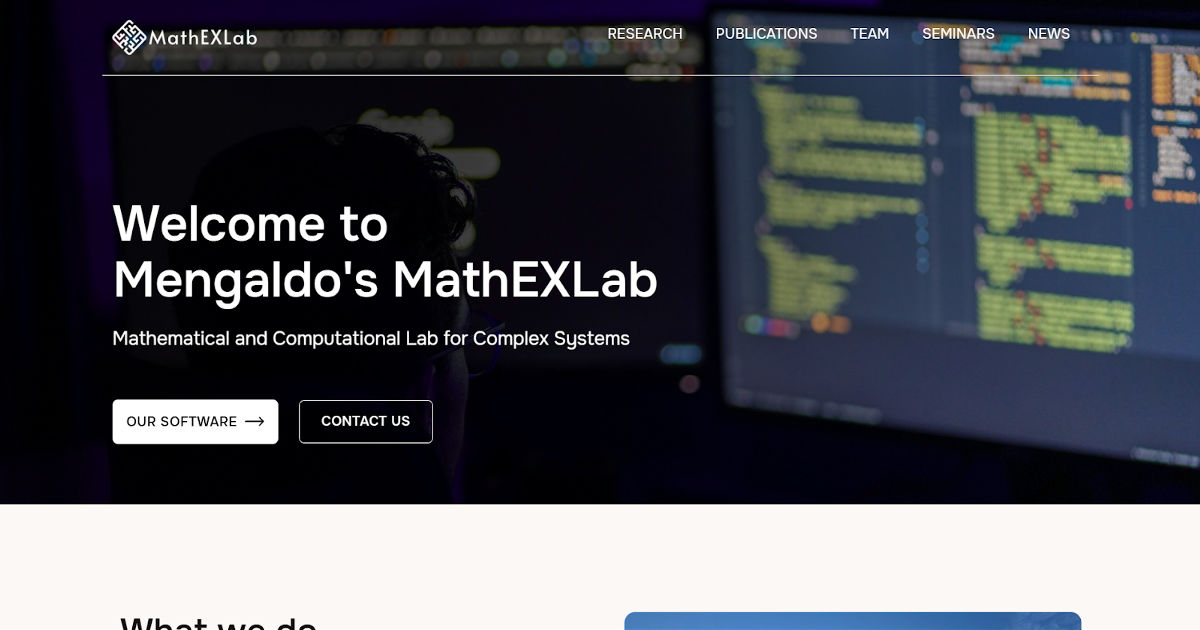
Prof. Mengaldo's MathEXLab site is an excellent example of how the news section, updated regularly with dated research milestones, does the heavy lifting for both search visibility and visitor trust. The site demonstrates that you do not need a complex, feature-rich website to create a strong research lab presence you need the right structure, kept current.
SitesGo specialises in research lab websites built to attract talent, communicate impact, and grow with your team.
We've built lab sites for research groups at MIT, NUS, NTU, and institutions across Asia, Europe, and the US.
Build my research lab website with SitesGo
Frequently Asked Questions
How many pages does a research lab website need? Five is the minimum for a functioning lab site: Home, Research, People, Publications, and Contact. A Join the Lab page is strongly recommended if you supervise students. News and Resources are valuable additions once the core is solid. Don't add pages before you have content to fill them well—a half-empty page is worse than no page.
Should the PI have a personal website as well as a lab website? Yes, and the two should complement rather than duplicate each other. The lab site presents the group's collective work and identity. The PI's personal site establishes individual expertise, career narrative, and research vision. Each should link clearly to the other. Together they create two independently rankable web presences where there was previously one.
What's the most common structural mistake in research lab websites? Burying or omitting the Join the Lab page. This is the page that drives the highest-value conversion on most lab sites a strong PhD application. If a prospective student cannot find your recruitment information in two clicks from your homepage, you are losing candidates to labs whose sites make it easier. Fix this first.
How do I keep a lab website current without spending hours on it? The news section is the answer. A single dated sentence per significant lab event paper published, grant awarded, conference talk given takes three minutes to add and keeps the site feeling current for both visitors and search engines. Monthly is sufficient. The big structural updates, rewriting research descriptions, adding new team members, refreshing the PI bio are annual tasks, not monthly ones.
What platform is best for a research lab website? The best platform is the one your lab will actually maintain. For most research groups without dedicated technical staff, a managed platform like Webflow gives the best balance of design quality, content management ease, and performance. SitesGo builds on Webflow specifically because it allows PIs and lab managers to update content without developer involvement which is the most important practical requirement for a site that needs to stay current over many years.
.gif)


