

Initial Summary
PhD students face a peculiar professional challenge: they must establish academic credibility before having the traditional markers of it. No tenured position, limited publications, perhaps only one or two conference presentations, yet they need to be taken seriously by potential collaborators, funding committees, and future employers. A portfolio website addresses this gap by demonstrating intellectual seriousness through how work is presented, not just what work exists. The problem is that most PhD student websites make one of two errors: they either present like incomplete faculty pages (emphasizing credentials the student doesn't yet have), or they present like graduate school applications (over-explaining qualifications to an imagined skeptical audience). This guide explains how to build a PhD student portfolio website that demonstrates competence without overstating credentials, presents work-in-progress appropriately, and serves the actual career goals PhD students have rather than imitating the wrong models.
What a PhD Student Website Actually Needs to Do
Before examining structure and content, it's worth establishing what a PhD student portfolio website accomplishes in practice, because the purpose differs significantly from faculty websites, personal blogs, or job application materials. A PhD student website serves three distinct functions, and the weight given to each depends on career stage and goals.
Function 1: Credibility establishment for people who found you. When you email a potential collaborator, apply for a grant, or submit to a conference, recipients Google your name. Your website must immediately confirm that you are a serious researcher working on legitimate problems with appropriate methods.
Function 2: Work showcase for specific opportunities. When applying for postdoc positions, research internships, or academic jobs, your website supplements application materials by showing your work in context: how projects relate to each other, what your research trajectory looks like, what intellectual questions drive your work.
Function 3: Professional presence for long-term network building. Your website is findable by search engines, linkable from email signatures and conference bios, and persistent across institutional changes. It's infrastructure for a career, not decoration for a CV.
Key Insight: The best PhD student websites don't apologize for being early-career. They present current work confidently while being honest about what stage it's at. 'Working paper under review' is stronger than 'preliminary findings subject to revision'. 'Research in progress' is stronger than 'exploratory study, not yet finalized'. Own where you are in the research process without hedging or over-explaining.
Step 1: Choose the Right Platform (And Skip the Wrong Ones)
Platform selection for PhD student websites involves trade-offs between ease of use, professional appearance, and long-term maintenance burden. The wrong choice creates technical debt that compounds as you progress through your career.
Recommended: Webflow, Squarespace, or WordPress
Webflow: Best for students comfortable with visual design tools. Produces clean, professional sites without coding. Free plan available with Webflow subdomain, paid plan ($14/month) for custom domain. Ideal if you want design control without learning code.
Squarespace: Best for students who want minimal setup time. Professional templates specifically designed for portfolios. Starts at $16/month including custom domain. Choose this if you want something professional quickly without design decisions.
WordPress.org (self-hosted): Best for students who want full control and don't mind technical complexity. Free software, but requires hosting ($5-10/month). Choose this if you're comfortable with technical troubleshooting or want to learn web development.
Avoid: GitHub Pages (Unless You're in CS)
GitHub Pages is popular among computer science PhD students because it's free and uses markdown. However, for most disciplines, it creates problems: the sites look technical rather than professional, require command-line knowledge to update, and use GitHub's subdomain (username.github.io) which doesn't read as professional outside technical fields.
Exception: If you're in computer science, data science, or computational fields where GitHub presence is itself valuable, GitHub Pages is appropriate. For all other fields, use a platform that produces standard professional websites.
Avoid: University-Hosted Pages
Many universities offer student web hosting (yourname.university.edu). While free, these have serious drawbacks: you lose the site when you graduate or change institutions, URLs break when you move, and university IT departments often restrict what you can build or update infrequently. Your professional web presence should outlive any single institutional affiliation.
Implementation rule: Choose a platform you own and control, with a custom domain you can take with you across career transitions. The $150-200/year for domain and hosting is professional infrastructure, not optional expense.
Step 2: Get a Professional Domain Name
Your domain name is how people find and remember your website. The right choice makes you easy to find; the wrong choice creates unnecessary friction.
Best Option: FirstnameLastname.com
If available, use yourfullname.com (e.g., sarahchen.com, michaelpatel.com). This is the most professional, memorable, and career-proof option. It works whether you're applying for academic positions, industry jobs, or consulting work.
If Your Name Is Taken: Add Middle Initial or Use FirstLast.me
If yourname.com is taken, options in order of preference: Use middle initial (sarahjchen.com), Use .me domain (sarahchen.me), Use first initial + last name (schen.com only if your last name is uncommon).
Avoid: Clever or Academic-Specific Names
Don't use: sarahchenresearch.com (too long), chenlaboratory.com (implies research group you don't have), sarahchen-phd.com (the PhD is temporary, the domain isn't), or quantumsarah.com (too specific to current research topic).
Implementation rule: Your domain should be your name, without qualifiers, modifiers, or research area specificity. You want a URL that works for your entire career.
Step 3: Structure Your Site (4-6 Pages Maximum)
PhD student websites should be simple. You don't have enough content to justify complex navigation, and visitors want to find specific information quickly. The ideal structure is 4-6 pages total.
Essential Pages (All Sites Need These)
1. Home/About: Who you are, what you research, current affiliation, one paragraph summary of your work.
2. Research: Your dissertation project, other research projects, working papers. This is the most important page.
3. CV: Either embed your CV on the page or provide a PDF download link. Keep this updated.
4. Contact: Email, office location (if applicable), social media/academic profiles (Twitter/X, Google Scholar, ORCID).
Optional Pages (Add Only If You Have Substantial Content)
Teaching: Only add if you've been primary instructor for courses or have developed substantial teaching materials. TA experience alone doesn't warrant a dedicated teaching page.
Blog/Writing: Only add if you regularly write (at least monthly) and your writing is relevant to your research identity. Abandoned blogs with two posts from 2022 hurt more than they help.
Pages to Skip
Don't create: 'News' page (use your homepage for recent updates), 'Publications' separate from Research (you likely have few enough to list on Research page), 'Lab' or 'Group' pages (you're not running a lab), or 'Students' pages (you're the student).
Implementation rule: Start with four pages: Home, Research, CV, Contact. Add teaching or blog pages only if you have enough content to justify them and can commit to keeping them updated.
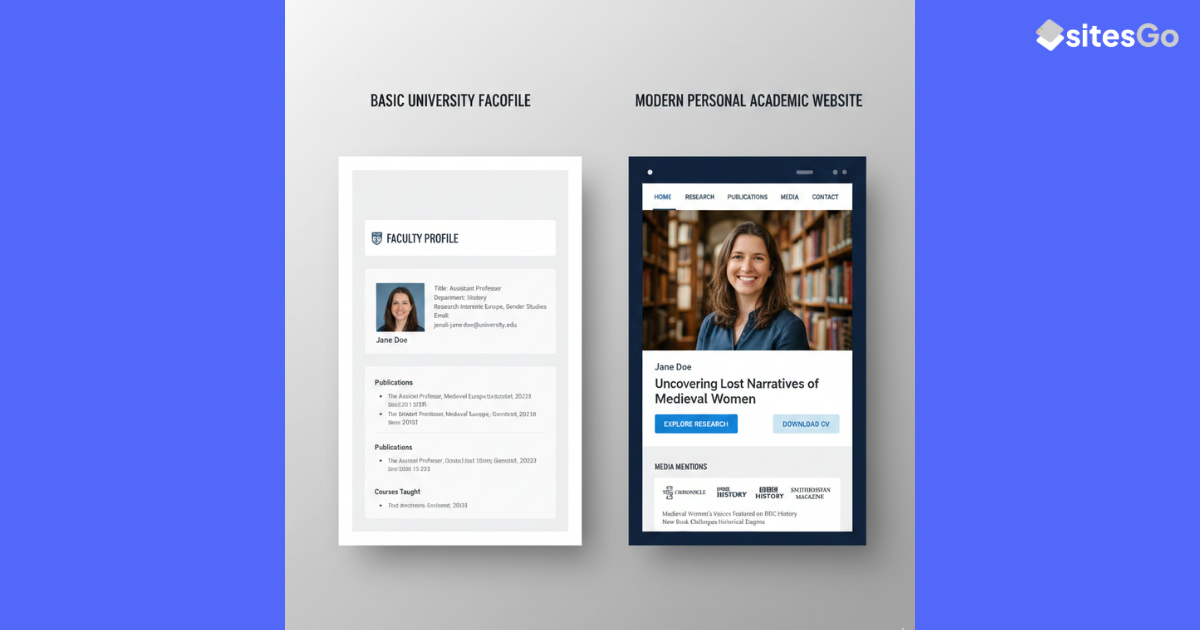
Step 4: Write Your Homepage (The 10-Second Test)
Your homepage must pass the 10-second test: a visitor should understand who you are, what you research, and why it matters within 10 seconds of landing on the page. Most PhD student homepages fail this test by being either too vague or too detailed.
The Wrong Approach: Generic Academic Language
Example: 'Welcome to my website. I am a PhD candidate in the Department of Biology at State University, where I work in Professor Smith's lab. My research interests include molecular biology, genetics, and cellular processes. I am passionate about understanding the fundamental mechanisms of life.'
This tells a visitor almost nothing. What specifically do you study? What questions drive your work? What methods do you use?
The Right Approach: Specific Research Statement
Example: 'I'm a PhD candidate in Biology at State University, working with Professor Smith. I study how cells regulate protein folding under stress conditions, using cryo-EM and biochemical approaches to understand chaperone protein mechanisms. My dissertation focuses on the HSP70 family's role in neurodegenerative disease.'
This immediately tells a visitor: your research area (protein folding, cellular stress), your methods (cryo-EM, biochemistry), and your specific focus (HSP70 chaperones, neurodegeneration). Someone in your field knows instantly whether your work is relevant to them.
Homepage Structure
1. Heading: Your name (use your professional name exactly as it appears on publications).
2. Title: 'PhD Candidate, [Department], [University]' or 'Doctoral Researcher in [Field]'.
3. Research statement: 2-3 sentences explaining what you study, using specific terminology from your field.
4. Current status: (Optional) 'Currently finishing my dissertation' or 'On the academic job market 2025-26' or 'Defending Spring 2026'.
5. Professional photo: Headshot or professional photo, sized appropriately for web (not a massive high-res image that slows page loading).
Implementation rule: Your homepage should be readable in under 30 seconds but specific enough that someone in your field immediately understands your research area and approach.
Step 5: Build Your Research Page (The Heart of Your Site)
The research page is where most visitors will spend their time. This page must balance honesty about project status with confidence in your work. The goal is to show what you've accomplished without overstating completion.
Your personal website does all of these things, and it belongs to you

How to Present Your Dissertation
Title: Use your actual or working dissertation title. Don't call it 'Dissertation Research' or 'Thesis Project'.
Status: Be specific. 'Dissertation in progress (expected defense Spring 2026)' or 'Dissertation chapters completed, currently writing' or 'Defended November 2025'.
Abstract: 150-300 words describing: the research question, why it matters, your approach/methods, and key findings or expected contributions. Even if you haven't finished, you can describe what you're investigating and what contribution you expect to make.
How to Present Other Research Projects
List each project with: Project title (be specific, not 'Summer Research Project 2023'), Your role ('Lead researcher', 'Co-investigator with [names]', 'Research assistant contributing to [specific aspect]'), Status with dates ('Working paper under review', 'Manuscript in preparation', 'Presented at [Conference] 2024', 'Published in [Journal] 2025'), Brief description (2-4 sentences) of the research question and your contribution.
How to Handle Work in Progress
Good status labels: 'Working paper', 'Manuscript in preparation', 'Under review at [Journal]', 'Revise and resubmit at [Journal]', 'In progress', 'Presented at [Conference]'.
Avoid: 'Preliminary findings', 'Exploratory study', 'Draft stage', 'Not yet complete'. These phrases undermine credibility by emphasizing incompleteness rather than current status.
Should You Include Papers Under Review?
Yes. List them as 'Under review' or 'Under review at [Journal Name]'. This is standard practice and demonstrates active research production. If you receive a revise-and-resubmit decision, update the status to 'Revise and resubmit at [Journal]'.
Implementation rule: Present your research with confidence in its intellectual value while being honest about completion status. 'Working paper' is a status, not an apology.
Key Insight: PhD students consistently underestimate how much credibility comes from simply having a professional website that's regularly updated. The content doesn't need to be extensive: a clear research statement, one substantial project description, and current contact information signals far more professional seriousness than an elaborate site with outdated information or a missing site entirely.
Step 6: Create Your CV Page (Web vs. PDF)
Your CV appears on your website in one of two formats: embedded on a page or as a downloadable PDF. Each approach has trade-offs.
Option 1: Embedded CV (Recommended for Most Students)
Display your CV directly on the page as HTML text. This allows visitors to read it immediately without downloading, makes it searchable by search engines, and ensures mobile visitors can read it easily.
Include: Education, Research experience, Publications (if any), Presentations, Teaching experience, Awards and honors, Skills (technical skills, languages, methods), Professional service (if substantial).
Also provide: A 'Download PDF' button linking to a formatted PDF version for those who want to save or print.
Option 2: PDF Only (Acceptable if CV Is Long)
If your CV exceeds 4 pages or includes complex formatting (tables, multiple columns), providing only a PDF download is acceptable. In this case, your CV page should show: Your name and current affiliation, Last updated date, A clear 'Download CV (PDF)' button, Optionally, a brief summary of highlights (education, current position, key publications).
CV Maintenance
Update your website CV within one week of updating your application CV. Nothing signals neglect faster than a CV last updated two years ago. Add a 'Last updated: [Month Year]' line at the top.
Implementation rule: Make your CV immediately readable on the website. If you provide PDF only, make the download button obvious and include the last updated date.
Step 7: Set Up Your Contact Page (Make Yourself Reachable)
The contact page exists to make it easy for legitimate professional contacts (potential collaborators, hiring committees, conference organizers) to reach you, while filtering out spam.
Essential Contact Information
Email: Use your institutional email (.edu address) as primary. If you're graduating soon, also list a permanent personal email.
Office location: If you have an office: 'Office: Room 402, Biology Building, State University'. If you don't have a dedicated office, skip this.
Academic profiles: Link to Google Scholar, ORCID, ResearchGate (if you use it), LinkedIn (if professionally maintained).
Social media: Only include Twitter/X, Bluesky, or Mastodon if you use them professionally for research communication. Don't link personal social media accounts.
What Not to Include
Don't include: Phone number (email is sufficient for academic contact), Physical mailing address (security risk with no professional benefit), Personal social media (Instagram, Facebook, TikTok unless directly relevant to research communication), Calendly or scheduling links (premature for PhD students, appropriate for faculty).
Contact Form vs. Email Address
Display your email address directly rather than using a contact form. Forms add friction for legitimate contacts and don't significantly reduce spam if you use your institutional email, which already has spam filtering.
Implementation rule: Make it easy to email you. List your institutional email address clearly, along with links to academic profiles that verify your identity and credentials.
Need inspiration for your PhD student website?
Explore examples of effective student portfolio sites across different academic disciplines.
Step 8: Add Professional Photos (Quality Matters)
Your website needs at least one professional photo of you. This humanizes your site, helps people recognize you at conferences, and signals that you take your professional presentation seriously.
What Makes a Good Academic Headshot
Professional but not corporate: You don't need a suit and studio lighting. Business casual or smart casual attire against a neutral background works well. Avoid: gym selfies, group photos cropped down to just you, photos where you're obviously at a social event, or photos taken from below (unflattering angle).
Recent: Use a photo from the last 1-2 years. If you've changed your appearance significantly (different hair length, glasses, facial hair), update your photo. People should recognize you when they meet you at conferences.
High resolution but optimized: The original photo should be high quality, but compress it for web use (aim for under 500KB). Large image files slow page loading, especially on mobile.
Where to Place Photos
Homepage: Essential. Place near the top, either beside or below your name and research statement.
About/Bio page: If you have a separate About page (rather than combining it with Home), include your photo here as well.
Getting a Professional Photo
If you don't have a professional photo: Check if your university offers free headshot sessions (many communications or career services offices do), Ask a friend with a decent camera to take photos outdoors in natural light, or Use your phone with portrait mode, good natural lighting, and a plain background. Set up the shot, use the timer, and take 20+ photos to get one good one.
Implementation rule: Include at least one clear, recent, professional photo on your homepage. This is not optional vanity; it's part of professional presentation.
Step 9: Optimize for Mobile (Where Most Traffic Comes From)
More than 60% of academic website traffic comes from mobile devices researchers checking someone's credentials from their phone between meetings, looking up a conference speaker on their phone in the audience, or reviewing a potential collaborator while commuting. If your site doesn't work well on mobile, it doesn't work.
Mobile Testing Checklist
1. Test on actual devices: Don't just resize your browser window. Test on at least one iPhone and one Android phone. Sites that look fine in desktop browser 'mobile preview' often have issues on actual devices.
2. Check text readability: Can you read your research description without zooming? Body text should be at least 16px font size on mobile. Small text forces zooming, which is a terrible user experience.
3. Test navigation: Can you tap each navigation link easily with a thumb? Links should be at least 44x44 pixels tap target size (Apple's recommendation). Links too close together cause mis-taps.
4. Verify image loading: Do images load quickly on mobile network speeds (not just wifi)? Test your site on 4G to ensure pages load within 2-3 seconds. Slow loading makes people leave.
5. Check PDF access: If you provide CV or papers as PDFs, can mobile users download or view them? Some PDF files don't render well in mobile browsers. Consider providing both web and PDF versions of important documents.
Common Mobile Issues and Fixes
Issue: Text too small. Fix: Increase base font size to 16-18px for mobile.
Issue: Images too large. Fix: Compress images and use responsive image sizing that adapts to screen size.
Issue: Navigation menu doesn't work. Fix: Use a standard mobile menu pattern (hamburger menu that expands, or visible bottom navigation) rather than custom JavaScript that may fail.
Implementation rule: Before launching your site, test every page on at least two mobile devices. Fix any readability or navigation issues. Mobile usability is not optional.
Step 10: Maintain Your Site (The Ongoing Commitment)
A website is infrastructure, not a one-time project. The difference between a professional web presence and an abandoned grad student page is maintenance. Your site must stay current to remain credible.
Quarterly Updates (Minimum)
Review and update your website at least every three months. Check: Research page for new projects, publications, or presentations, CV for recent additions, About/Home page for status changes (defending, on job market, starting postdoc), Contact information if institutional email or office location changed.
Immediate Updates (As They Happen)
Update within one week when: A paper is accepted for publication, You present at a conference, You change institutions or status, You're on the job market (add this to your homepage immediately), Your contact information changes.
What Signals Neglect
These red flags make visitors question whether you're still active: 'Last updated' date more than 6 months old, Status that's clearly outdated ('Starting PhD Fall 2022' but it's now 2026), Broken links to publications or projects, Publications listed as 'Under review' for 2+ years with no status change, Conference presentations from several years ago with nothing recent.
Set Maintenance Reminders
Put quarterly website reviews on your calendar. Treat it like submitting conference abstracts or preparing for committee meetings: it's part of professional maintenance, not optional personal branding.
Implementation rule: Schedule website reviews quarterly. Update major changes (publications, positions) within one week. An outdated website is worse than no website.
Making Your Site Findable: Basic SEO for Academics
SEO (Search Engine Optimization) ensures people can find your website when they search for your name or research topics. For PhD students, basic SEO is straightforward and doesn't require technical expertise.
1. Use Your Full Name Consistently
Your homepage title tag should be 'Your Full Name | PhD Candidate in [Field]'. This ensures when someone Googles your name, your website appears prominently. Use the exact same name format on your website, publications, CV, and email signature.
2. Include Research Keywords
Your research description should include specific terminology from your field that people might search for. If you study machine learning applications in healthcare, those exact phrases should appear in your homepage research statement, not just generic 'computational research'.
3. Set Up Google Scholar Profile
Create a Google Scholar profile and link your website in it. Scholar profiles often rank highly in searches for academic names, and the website link appears prominently in your profile, creating a pathway for people to find your site.
4. Link from University Directory
If your department maintains a student directory, ensure your entry includes a link to your website. These institutional links improve your site's search engine ranking and provide an obvious pathway for people to find you.
5. Use Descriptive Page Titles
Each page should have a descriptive title: 'Research | Sarah Chen' not just 'Research', 'CV | Sarah Chen' not just 'Curriculum Vitae'. This helps search engines understand what each page contains.
What you don't need: Advanced SEO tactics, paid SEO tools, keyword stuffing, or link building campaigns. Basic SEO for academics is about making sure people who search for your name find your site. The tactics above accomplish this.
Common PhD Student Website Mistakes (And How to Avoid Them)
Mistake 1: Imitating Faculty Websites
Example: A second-year PhD student creates pages for 'Research Group', 'Lab Members', 'Open Positions', and 'Collaborators', imitating their advisor's website structure.
Fix: Create a student-appropriate site with Home, Research, CV, and Contact. Don't create infrastructure for a lab you're not running. This overreach undermines credibility.
Mistake 2: Over-Explaining Credentials
Example: The homepage includes paragraphs explaining why the student was admitted to the PhD program, their undergraduate achievements, and their qualifications to study the topic.
Fix: Present current work confidently. Your institutional affiliation and CV establish credentials; lengthy justification of why you're qualified reads as insecurity. State what you research, not why you're allowed to research it.
Mistake 3: Perfectionism Preventing Launch
Example: A student spends six months designing the perfect website but never launches because they're waiting for better project descriptions, professional photos, or one more publication.
Fix: Launch with a basic functional site: homepage with research statement, CV, and contact information. You can add research project details and improve photos later. An imperfect live site is infinitely better than a perfect site that doesn't exist.
Mistake 4: Using Jargon Without Translation
Example: Research description: 'My dissertation investigates the phenomenological implications of epistemic uncertainty in post-structuralist frameworks applied to contemporary governance modalities.'
Fix: Use field-specific terminology where appropriate, but ensure the sentence structure clarifies meaning for adjacent fields. Even specialists appreciate clarity. Write for smart people who aren't necessarily in your exact subfield.
Mistake 5: Broken Links to Publications
Example: The research page lists publications with links, but the links lead to 404 errors, paywalled journal pages, or personal Google Drive files that aren't publicly accessible.
Fix: Test every publication link. For paywalled articles, link to the journal page and also provide a preprint on your website or arXiv. Check that any linked files are actually publicly accessible.
When in Your PhD Should You Build a Website?
The ideal time to launch your PhD student website is the end of first year or beginning of second year, once you have a clear research direction and can describe your dissertation topic, even if preliminary. Too early: During your first semester, before you've identified a research topic. You don't yet have enough to say, and the site will read as premature. Too late: Waiting until you're on the job market. Your website should already exist and be established when you start applying for positions.
Minimum requirements for launch: A clear research area and dissertation topic (even if tentative), Affiliation with a university and advisor, Ability to write 2-3 sentences describing your research. Once you can state what you're researching and why it matters, you have enough content for a website. Everything else can be added incrementally.
The Core Principle: Own Your Professional Identity
A PhD student website is not vanity or self-promotion. It's professional infrastructure that you control, independent of institutional changes, advisor relationships, or department politics. Your university profile page can disappear when you graduate, conference bios are temporary, and application materials go into black holes. Your personal website is yours, persistent and professional, presenting your work exactly as you want it presented.
The students who benefit most from websites are not those with the most publications or the most prestigious positions. They're the students who treat their website as living professional infrastructure: keeping it updated, presenting work confidently, and making themselves findable for opportunities. Build your site now, keep it maintained, and let it work for you throughout your career.
Ready to build a PhD student portfolio that opens doors?
We create academic portfolio websites designed specifically for graduate students presenting your research professionally without overstating credentials, organizing work-in-progress appropriately, and building infrastructure that grows with your career from student to postdoc to faculty.
-> Get started on your student portfolio website
Frequently Asked Questions
Do I really need a website if I'm active on Twitter/LinkedIn/ResearchGate?
Yes. Social platforms and academic networks are valuable for engagement, but you don't control them. Platforms change policies, get acquired, or decline in relevance. Your personal website is permanent infrastructure you own. More importantly, when someone Googles your name (which they will), you want your professional website to appear first, not your sporadic social media presence.
Should I include my dissertation abstract if it's not finished yet?
Yes. Write a 200-300 word description of what you're investigating, why it matters, and what contribution you expect to make. Label it clearly as 'Dissertation in progress' or 'Expected defense [date]'. Visitors understand that dissertations in progress are, by definition, incomplete. What they want to know is what you're studying and whether it's relevant to their interests.
How often should I update my website?
Review quarterly (every 3 months) at minimum. Update immediately for major changes: publication acceptances, conference presentations, job market status, institutional changes. The 'last updated' date on your CV or research page should never be more than 6 months old. An outdated website signals that you've either abandoned the site or stopped being productive.
Can I use a free subdomain (myname.webflow.io) or do I need a custom domain?
For a professional academic website, invest in a custom domain (yourname.com). The cost is $10-15/year, negligible compared to the professional benefit. Free subdomains (myname.platform.io) look temporary and don't convey the same level of professional seriousness. If $15/year is genuinely a financial hardship, use a free subdomain temporarily, but prioritize getting a custom domain as soon as feasible.
Should I include work I did before my PhD?
Include pre-PhD work only if it's directly relevant to your current research or demonstrates significant achievement. If you published papers as a master's student in your current research area, include them. If you worked in industry for several years in a role relevant to your dissertation, mention it briefly. Don't include undergraduate research projects unrelated to your PhD or jobs that were purely for income. Your website should present a coherent research narrative, not a complete work history.
.gif)


